Atkins pipelines can be run as executable scripts or piped via stdin. This lets you treat pipeline files like shell scripts: make them executable, pass arguments, and integrate them into larger toolchains.
Shebang Execution
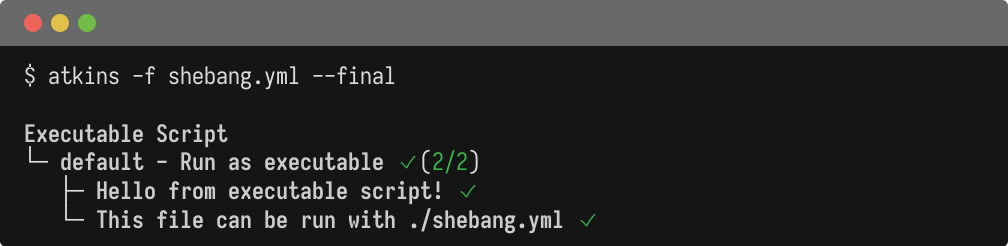
On Linux and macOS, pipeline files can be made directly executable with a shebang line:
  #!/usr/bin/env atkins
name: Executable Script

tasks:
  default:
    desc: Run as executable
    steps:
      - run: echo "Hello from executable script!"
      - run: echo "This file can be run with ./shebang.yml"
  chmod +x script.yml
./script.yml
Atkins strips the shebang line before parsing, so the file remains valid YAML for other tools.
Stdin Input
Pipelines can be piped via stdin:
cat pipeline.yml | atkins
Or with a here-doc:
  atkins <<EOF
tasks:
  default:
    steps:
      - run: echo "From stdin"
EOF
This is useful for dynamically generated pipelines or quick one-off runs.
Positional Arguments
A file path can be passed as a positional argument:
atkins ./ci/build.yml
This is equivalent to:
atkins -f ./ci/build.yml
Combining with Flags
All standard CLI flags work with script mode:
  # Show final tree only
./script.yml --final

# List jobs from an executable pipeline
./script.yml -l

# JSON output from stdin
cat pipeline.yml | atkins --json
See Also
- CLI Flags - Command-line options
- Automation - JSON/YAML output details