Jobs and steps can be conditionally executed using the if:
field. Conditions are evaluated using expr-lang
, a simple expression language. The if:
field accepts a single expression or a list of expressions. When a list is provided, all conditions must be true (AND logic).
Examples
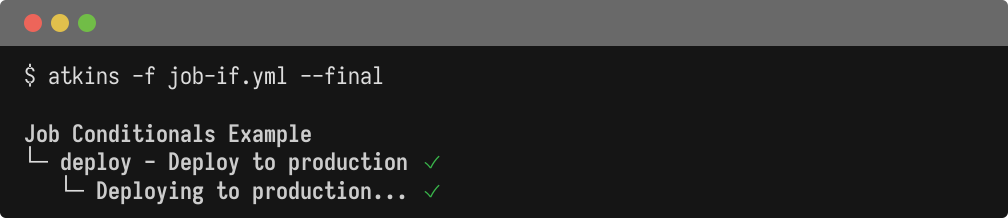
  name: Job Conditionals Example

vars:
  environment: production
  send_notifications: true
  allowed_envs:
    - staging
    - production

jobs:
  deploy:
    aliases: [default]
    desc: Deploy to production
    if: environment == "production"
    steps:
      - run: echo "Deploying to production..."

  notify:
    desc: Send notifications
    if: send_notifications == true
    steps:
      - run: echo "Sending notifications..."

  validate:
    desc: Validate environment
    if: environment in allowed_envs
    steps:
      - run: echo "Environment ${{ environment }} is valid"
  name: Step Conditionals Example

vars:
  environment: staging

jobs:
  deploy:
    aliases: [default]
    steps:
      - name: Deploy to production
        if: environment == "production"
        run: echo "Deploying to production..."
      - name: Deploy to staging
        if: environment == "staging"
        run: echo "Deploying to staging..."
      - name: Always run
        run: echo "Deployment complete for ${{ environment }}"
Available Variables
Conditions have access to:
- Pipeline variables
- All variables defined in
vars:blocks - Environment variables
- All environment variables (from shell and
env:blocks) - Loop variables
- When inside a
for:loop, the loop variable is available
Expression Syntax
Expr-lang supports common operators and comparisons:
| Operator | Description | Example |
|---|---|---|
== |
Equals | env == "prod" |
!= |
Not equals | env != "dev" |
&& |
Logical AND | a == 1 && b == 2 |
|| |
Logical OR | a == 1 || b == 2 |
! |
Logical NOT | !skip_tests |
>
, <
, >=
, <= |
Comparisons | num_retries > 0 |
in |
Contains | "prod" in environments |
matches |
Regex match | branch matches "^release/" |
Examples
Combining conditions (inline):
if: environment == "production" && branch == "main"
Combining conditions (list form):
  if:
  - branch == "main"
  - environment == "production"
Both forms are equivalent. The list form is useful when conditions are long or numerous.
Checking for values in lists:
  vars:
  allowed_envs:
    - staging
    - production

jobs:
  deploy:
    if: environment in allowed_envs
    steps:
      - run: echo "Deploying..."
Pattern matching:
if: branch matches "^release/.*"
Checking for files and directories:
  jobs:
  build-docs:
    if: $(test -f README.md)
    steps:
      - run: echo "README.md exists"

  publish-docs:
    if: $(test -d docs)
    steps:
      - run: echo "docs directory exists"
Use test -f
to check for a regular file and test -d
to check for a
directory. Commands in $(...)
use their exit status as a condition when they
produce no output: exit status 0 evaluates to true
, and a non-zero exit status
evaluates to false
without failing the job. A non-zero status always evaluates
to false
, even if the command wrote output.
Truthiness
Values are coerced to boolean as follows:
| Value | Result |
|---|---|
true |
true |
false |
false |
nil
/ undefined |
false |
""
(empty string) |
false |
"false"
, "0" |
false |
| Any other string | true |
0 |
false |
| Any other number | true |
Undefined Variables
Undefined variables evaluate to nil
(falsy) rather than causing an error:
  jobs:
  optional:
    if: maybe_defined
    steps:
      - run: echo "Running optional job..."
Jobs with for:
and if:
When a job has both a for:
loop and an if:
condition, the if:
expression is evaluated per iteration. This allows filtering iterations based on loop variables:
  jobs:
  deploy:
    for: env in environments
    if: env != "dev"
    steps:
      - run: echo "Deploying to ${{ env }}..."
In this example, iterations where env
is "dev"
are skipped while all other environments proceed.
Skipped Output
When a job or step is skipped due to a condition, the tree output shows the condition:
  [ok] build
[skip] deploy (if: environment == "production")