Use for:
in steps to invoke tasks or run commands repeatedly with different loop variables.
Examples
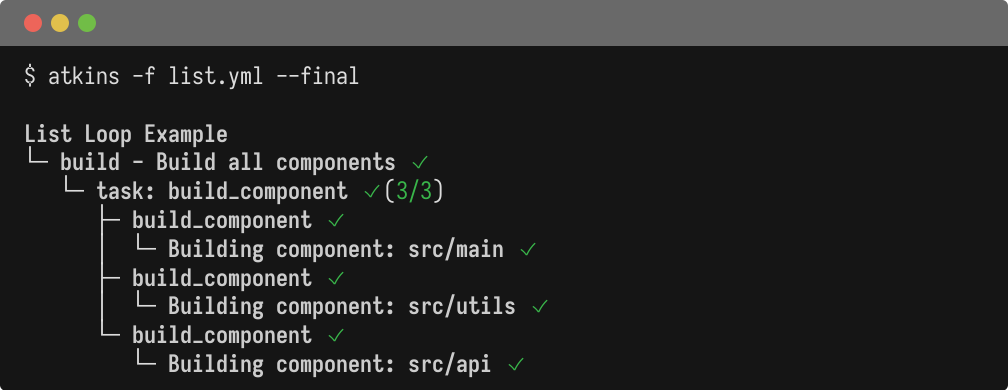
  name: List Loop Example

vars:
  components:
    - src/main
    - src/utils
    - src/api

tasks:
  build:
    aliases: [default]
    desc: Build all components
    steps:
      - for: component in components
        task: build_component

  build_component:
    requires: [component]
    steps:
      - run: 'echo "Building component: ${{ component }}"'
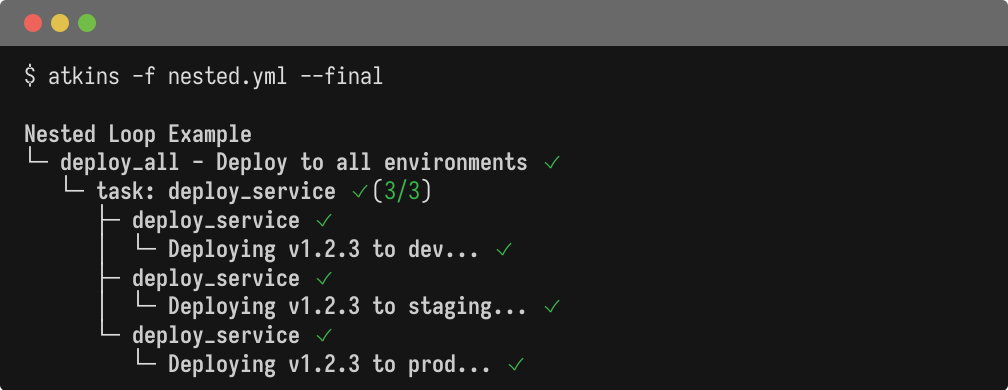
  name: Nested Loop Example

vars:
  environments:
    - dev
    - staging
    - prod
  service_version: 1.2.3

tasks:
  deploy_all:
    aliases: [default]
    desc: Deploy to all environments
    steps:
      - for: env in environments
        task: deploy_service

  deploy_service:
    desc: Deploy to a specific environment
    requires: [env, service_version]
    steps:
      - run: echo "Deploying v${{ service_version }} to ${{ env }}..."
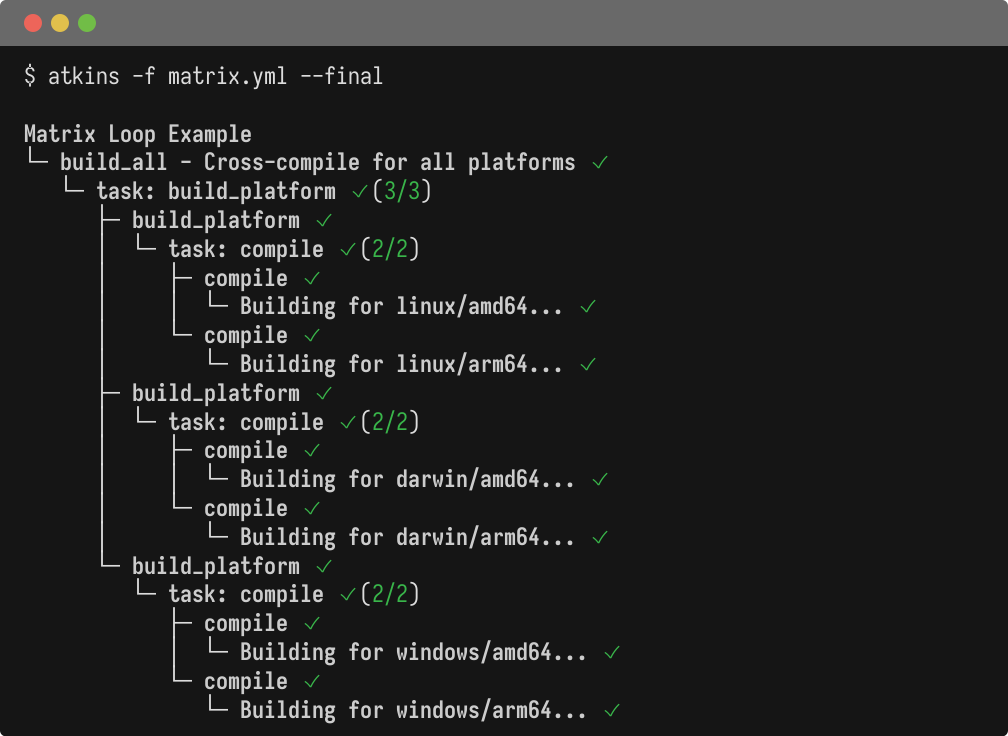
  name: Matrix Loop Example

vars:
  platforms:
    - linux
    - darwin
    - windows
  architectures:
    - amd64
    - arm64

tasks:
  build_all:
    aliases: [default]
    desc: Cross-compile for all platforms
    steps:
      - for: platform in platforms
        task: build_platform

  build_platform:
    requires: [platform]
    steps:
      - for: arch in architectures
        task: compile

  compile:
    requires: [platform, arch]
    steps:
      - run: echo "Building for ${{ platform }}/${{ arch }}..."
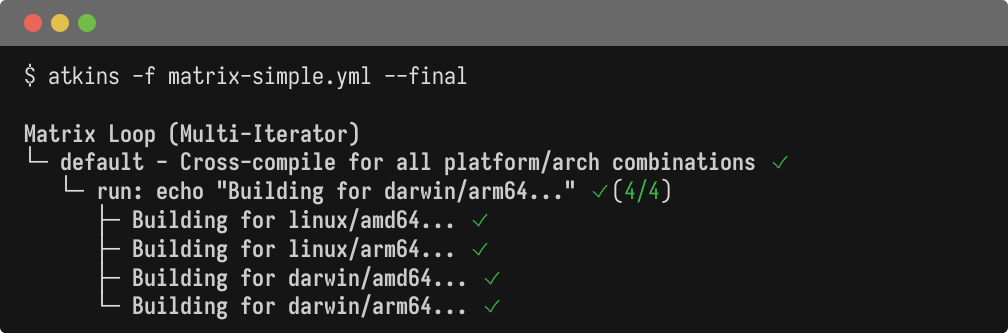
  name: Matrix Loop (Multi-Iterator)

vars:
  platforms:
    - linux
    - darwin
  architectures:
    - amd64
    - arm64

tasks:
  default:
    desc: Cross-compile for all platform/arch combinations
    steps:
      - for:
          - platform in platforms
          - arch in architectures
        run: echo "Building for ${{ platform }}/${{ arch }}..."
How It Works
for:in a step - defines the loop withfor: variable in collection, or equivalentlyfor: collection as variabletask:orrun:in the same step - the action to perform for each iteration- Loop variable
- becomes available as
${{ variable }} requires:- invoked tasks can declare required variables to validate they are present
Multi-Iterator (Matrix)
Use a list of iterators to create a cartesian product (all combinations):
  steps:
  - for:
      - goos in ["linux", "darwin"]
      - goarch in ["amd64", "arm64"]
    run: echo "Building ${{ goos }}-${{ goarch }}"
This produces 4 iterations: linux-amd64
, linux-arm64
, darwin-amd64
, darwin-arm64
.
This is similar to GitHub Actions' matrix
strategy, but more flexible:
- Variables are defined inline or from pipeline vars
- No separate
strategyblock needed - Works with any step type (
run:,task:,cmd:)
Missing Variables
If a required variable is missing, execution fails with a clear error:
job 'deploy_service' requires variables [env service_version] but missing: [env]