If you're using Taskfile, GitHub Actions workflows for local tasks, or another task runner, Atkins offers a familiar syntax.
Atkins supports two syntax styles (Taskfile-compatible and GitHub Actions-inspired) so migration often involves only minor changes to your existing configuration.
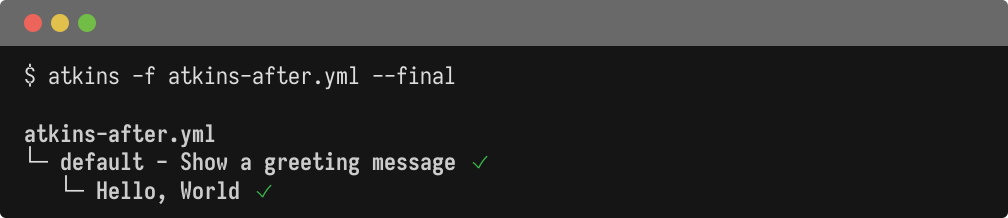
Quick Comparison
  # Atkins syntax (after migration)
vars:
  greeting: "Hello, World"

tasks:
  default:
    desc: Show a greeting message
    cmds:
      - echo "${{ greeting }}"
  # Taskfile syntax (before migration)
version: '3'

vars:
  greeting: "Hello, World"

tasks:
  default:
    desc: Show a greeting message
    cmds:
      - echo "{{.greeting}}"
Why Migrate?
- Cleaner interpolation syntax: Atkins uses
${{ var }}for variable interpolation and$(command)for shell substitution, which don't require YAML quoting or conflict with bash syntax - Full environment inheritance: Commands inherit the shell environment automatically, reducing configuration boilerplate
- Local and CI parity: The same configuration works for local development and CI environments
- Smaller binary: Single ~10MB binary with minimal dependencies
- Skills system: Modular, reusable pipelines that can be shared across projects and activated conditionally
Migration Guides
Choose the guide that matches your current tool:
- Migrating from Taskfile - Covers syntax differences including interpolation, shell substitution, and environment handling
- Migrating from GitHub Actions - Covers syntax mapping including triggers, actions, matrix builds, and field naming
Using Atkins in CI
Atkins can run inside CI environments alongside or instead of native CI syntax. Pull the binary from the Docker image:
COPY --from=titpetric/atkins:latest /usr/local/bin/atkins /usr/local/bin/atkins
Or install it in a GitHub Actions workflow:
  jobs:
  build:
    runs-on: ubuntu-latest
    steps:
      - uses: actions/checkout@v4
      - name: Install Atkins
        run: go install github.com/titpetric/atkins@latest
      - name: Run pipeline
        run: atkins
Use the --final
flag for CI-friendly output that skips the interactive tree:
atkins --final
Next Steps
- Configuration - Full configuration reference
- Why use Atkins? - Detailed comparison with other tools