Atkins is a command runner for local development and CI/CD environments. It executes jobs defined in YAML files, displaying progress in an interactive tree view. Atkins inherits your shell environment automatically, runs jobs in parallel when needed, and supports modular "skills" that activate based on project context.
Key Features
- Interactive tree display showing which jobs and steps are running in real-time
- Parallel execution with
detach: truefor jobs and steps - Multiple syntax styles: Taskfile-style (
tasks/cmds) and GitHub Actions-style (jobs/steps) - YAML-friendly interpolation with
${{ var }}for variables and$(command)for shell substitution - Cross-pipeline references using
:skill:tasksyntax - Skills system for modular, reusable pipeline components that activate conditionally
Quick Example
Create an atkins.yml
file:
  name: My Project

vars:
  greeting: Hello

tasks:
  default:
    desc: Run the greeting
    steps:
      - run: echo "${{ greeting }}, World!"

  build:
    desc: Build the project
    steps:
      - run: echo "Building project..."
      - run: echo "Build complete!"
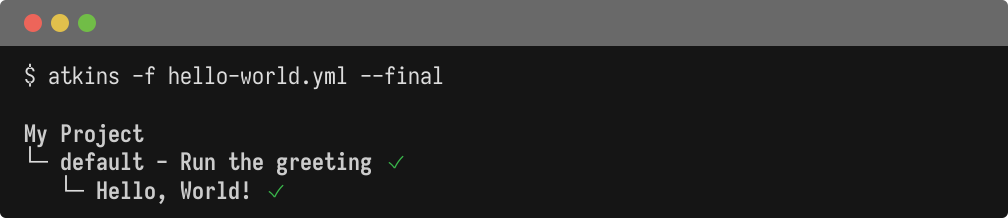
Run it:
  # Run the default task
atkins

# List available tasks
atkins -l

# Run a specific task
atkins build
Design Philosophy
Atkins was built to address common friction points in existing task runners:
- YAML-friendly syntax: Variable interpolation uses
${{ }}which doesn't conflict with YAML parsing or bash${var}syntax - Environment inheritance: Commands inherit the full shell environment without explicit declarations
- Minimal dependencies: Small binary size without unnecessary features
- Familiar patterns: Borrows concepts from Taskfile, GitHub Actions, and Drone CI
Key Features Demo
This example demonstrates several key features including variable interpolation, shell substitution, and parallel execution:
  name: Feature Demo

vars:
  project: my-app
  version: 1.0.0

tasks:
  default:
    desc: Show key features
    depends_on: [variables, parallel]

  variables:
    desc: Variable interpolation
    steps:
      - run: echo "Project - ${{ project }}"
      - run: echo "Version - ${{ version }}"
      - run: echo "Shell substitution - $(uname -n)"

  parallel:
    desc: Parallel execution demo
    steps:
      - name: Task A
        run: echo "Running task A"
        detach: true
      - name: Task B
        run: echo "Running task B"
        detach: true
      - name: Task C
        run: echo "Running task C"
        detach: true
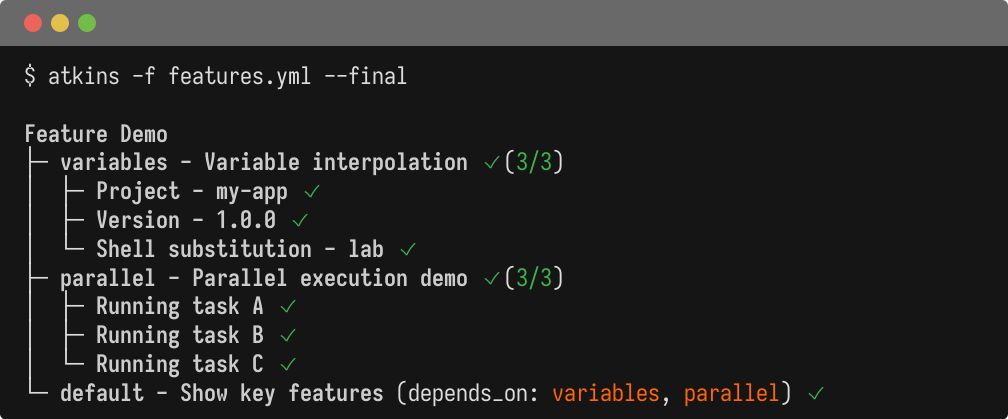
Output Formats
Atkins supports multiple output formats for different use cases. Use the following example file to try different output modes:
  name: Output Formats

tasks:
  default:
    desc: Default task for output demo
    steps:
      - run: echo "This is the default task"

  build:
    desc: Build the application
    steps:
      - run: echo "Compiling..."

  test:
    desc: Run tests
    steps:
      - run: echo "Testing..."

  deploy:
    desc: Deploy to production
    steps:
      - run: echo "Deploying..."
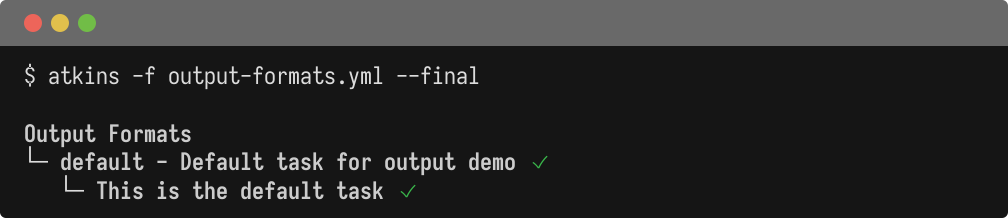
  # Interactive tree (default)
atkins

# List tasks as YAML (for LLM/tooling integration)
atkins -l -y

# List tasks as JSON
atkins -l -j

# Final tree only (no live updates)
atkins --final
Next Steps
- Installation - Install Atkins on your system
- Configuration - Learn the pipeline format
- CLI Flags - Command-line reference